


Table of contents
- What Is an L-Shaped Gaming Desk?
- Why L-Shaped Gaming Desks Are Perfect for Small Spaces
- Key Benefits of L-Shaped Gaming Desks
- Choosing the Right L-Shaped Gaming Desk
- Best Layout Ideas for Space-Saving Gaming Setups
- Monitor Setup for L-Shaped Desks
- Cable Management: A Space-Saving Essential
- Gaming Accessories That Save Space
- Lighting Solutions for Compact Gaming Spaces
- L-Shaped Desk Setup for Console Gamers
- L-Shaped Desks for Streaming & Content Creation
- Storage Ideas for L-Shaped Gaming Desks
- Budget vs Premium Space-Saving Setups
- Common Mistakes to Avoid
- Health & Comfort Tips for Gamers
- Future Trends in L-Shaped Gaming Desks
- Frequently Asked Questions (FAQs)
- 1. Are L-shaped gaming desks good for small rooms?
- 2. How much space do I need for an L-shaped gaming desk?
- 3. Can I use an L-shaped desk for both gaming and work?
- 4. Do L-shaped desks support multiple monitors?
- 5. Are L-shaped gaming desks comfortable for long sessions?
- 6. Are L-shaped desks worth the investment?
- Conclusion
Modern gamers need more than just powerful hardware—they need a setup that maximizes comfort, organization, and efficiency without wasting space. Whether you game in a small bedroom, apartment, or dedicated gaming room, L-shaped gaming desk have emerged as one of the best space-saving solutions for gamers.
These desks combine smart design with functionality, offering more surface area while fitting neatly into corners or compact spaces. In this comprehensive guide, we’ll explore why L-shaped gaming desks are ideal for space management, how to set them up efficiently, and how to choose the best one for your gaming needs.
What Is an L-Shaped Gaming Desk?
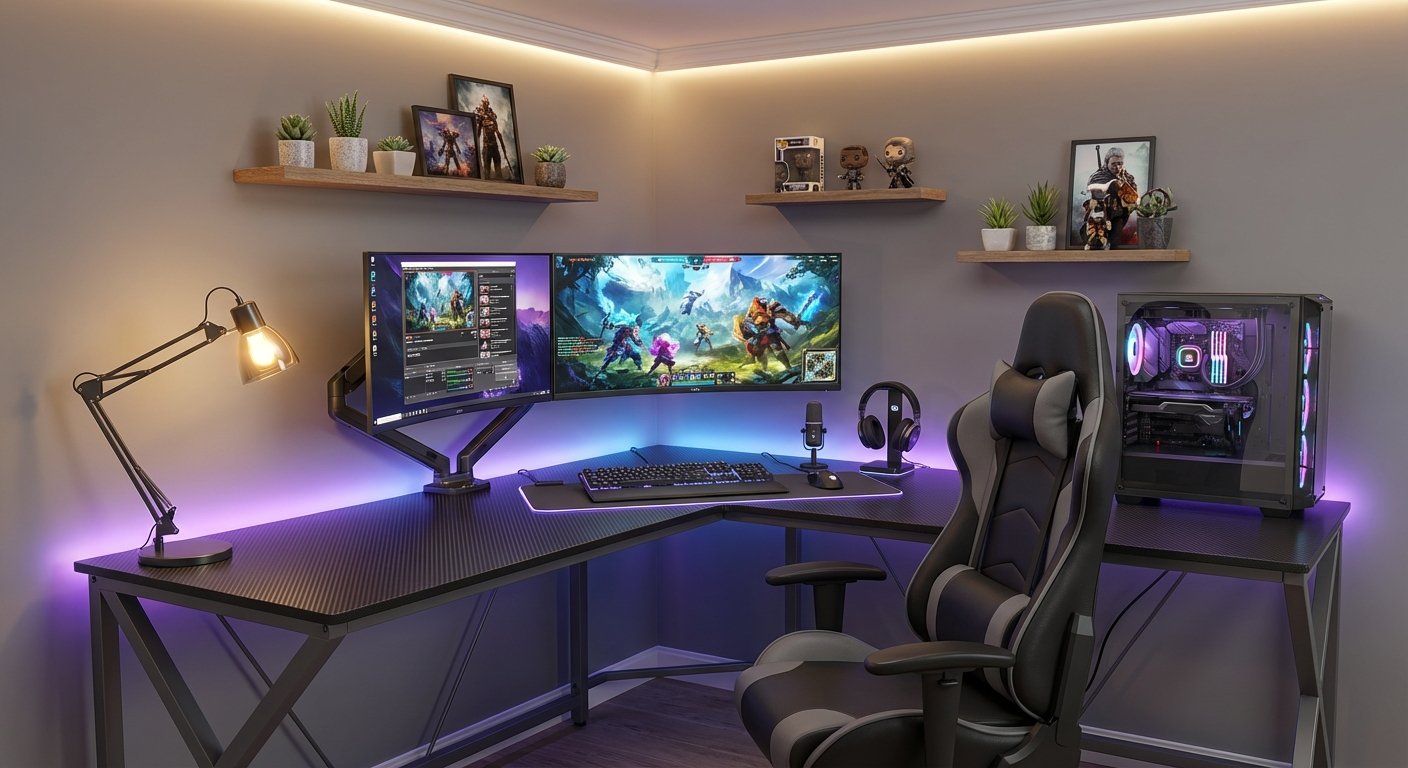
An L-shaped gaming desk consists of two connected surfaces forming a right angle, creating an “L” shape. Unlike standard straight desks, L-shaped desks provide:
- Expanded workspace
- Better equipment organization
- Efficient corner utilization
They are especially popular among PC gamers, streamers, and multitaskers who require multiple monitors and accessories without clutter.
Why L-Shaped Gaming Desks Are Perfect for Small Spaces
1. Efficient Corner Usage
Corners are often wasted space in rooms. An L-shaped desk fits perfectly into these areas, transforming unused corners into functional gaming stations.
2. More Workspace Without More Floor Space
Instead of expanding outward, the desk spreads across two directions, giving you:
- Extra surface area
- Room for monitors, keyboard, mouse, and accessories
- Space for consoles or laptops
3. Ideal for Apartments and Bedrooms
For gamers living in apartments or shared homes, L-shaped desks allow professional setups without taking over the entire room.
Key Benefits of L-Shaped Gaming Desks
Maximum Organization
With two desk wings, you can:
- Separate gaming and work zones
- Keep accessories organized
- Reduce clutter
Enhanced Ergonomics
Proper placement of monitors and peripherals reduces strain on:
- Neck
- Wrists
- Shoulders
Multi-Purpose Use
Perfect for:
- Gaming
- Streaming
- Content creation
- Work-from-home setups
Choosing the Right L-Shaped Gaming Desk
1. Desk Size
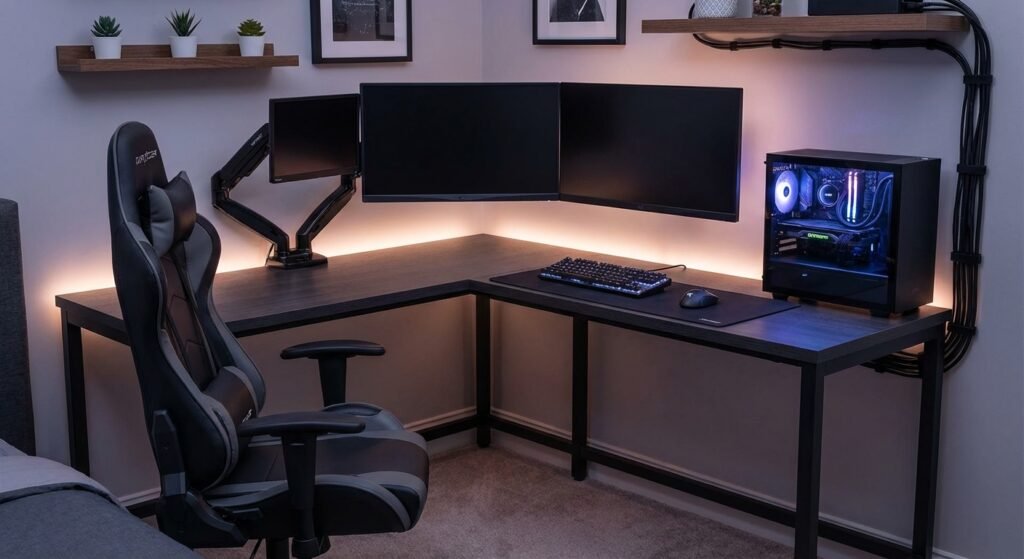
Select a size based on your room:
- Small (47–55 inches): Compact rooms
- Medium (55–63 inches): Balanced setups
- Large (63–75 inches): Multi-monitor or streaming rigs
2. Material Options
- Wood: Durable and stylish
- Metal frame: Strong and stable
- Carbon fiber finish: Modern gaming aesthetic
3. Weight Capacity
Ensure the desk can support:
- Gaming PC
- Multiple monitors
- Speakers and accessories
Best Layout Ideas for Space-Saving Gaming Setups
Corner Setup
- Place the desk tightly into the corner
- Center your chair at the angle
- Mount monitors to save surface space
Wall-Aligned Setup
- One side against the wall
- Other side open for movement
- Ideal for narrow rooms
Floating Shelf Combination
Use wall shelves instead of floor storage to keep the area open and breathable.
Monitor Setup for L-Shaped Desks
Single Monitor
- Place at the center corner
- Align top of screen with eye level
Dual Monitor Setup
- Primary monitor straight ahead
- Secondary monitor angled
- Perfect for gaming + chat
Triple Monitor Setup
- Best for simulation games
- Use monitor arms to save desk space
Cable Management: A Space-Saving Essential
Cluttered cables can make even large desks feel cramped.
Cable Management Tips
- Use cable trays under the desk
- Velcro cable ties
- Adhesive clips along desk edges
- Mount power strips underneath
Clean cable management improves airflow and aesthetics.
Gaming Accessories That Save Space
Monitor Arms
Free up desk surface and improve adjustability.
Headphone Hangers
Attach under desk or side panel.
Controller Mounts
Wall or desk-mounted charging docks.
Vertical PC Stands
Save desk space and improve airflow.
Lighting Solutions for Compact Gaming Spaces
RGB LED Strips
- Under-desk lighting
- Behind monitors
Bias Lighting
Reduces eye strain and enhances visuals.
Warm Desk Lamps
Perfect for late-night gaming sessions.
L-Shaped Desk Setup for Console Gamers
Console gamers can also benefit from L-shaped desks:
- One side for the console
- One side for monitor or TV
- Space for controllers and accessories
Ensure proper ventilation for consoles.
L-Shaped Desks for Streaming & Content Creation
Streamers can divide the desk into:
- Gaming Zone: PC, keyboard, mouse
- Production Zone: Camera, mic, stream deck
This separation improves workflow and saves space.
Storage Ideas for L-Shaped Gaming Desks
Under-Desk Storage
- Drawers
- CPU holders
- Cable baskets
Above-Desk Storage
- Floating shelves
- Pegboards for gear
Vertical storage is key in small rooms.
Budget vs Premium Space-Saving Setups
Budget Setup
- Compact L-shaped desk
- Single or dual monitor
- Basic accessories
Premium Setup
- Height-adjustable L-shaped desk
- Multi-monitor arms
- Smart lighting and cable solutions
Both can be space-efficient if planned properly.
Common Mistakes to Avoid
❌ Buying a desk too large for your room
❌ Ignoring ergonomics
❌ Poor cable management
❌ Overcrowding with accessories
❌ Blocking airflow
Avoiding these ensures long-term comfort.
Health & Comfort Tips for Gamers
- Take short breaks every hour
- Stretch arms and neck
- Use an ergonomic chair
- Maintain proper posture
A space-saving setup should never compromise comfort.
Future Trends in L-Shaped Gaming Desks
- Adjustable sit-stand designs
- Built-in wireless charging
- Modular desk extensions
- Smart RGB integration
These innovations focus on efficiency and comfort.
Frequently Asked Questions (FAQs)
1. Are L-shaped gaming desks good for small rooms?
Yes, they are ideal for small rooms because they utilize corners and provide more workspace without occupying extra floor space.
2. How much space do I need for an L-shaped gaming desk?
A minimum of 5×5 feet is recommended, but compact models can fit in even smaller areas.
3. Can I use an L-shaped desk for both gaming and work?
Absolutely. L-shaped desks are perfect for multi-purpose setups.
4. Do L-shaped desks support multiple monitors?
Yes, they are excellent for dual or triple monitor setups, especially with monitor arms.
5. Are L-shaped gaming desks comfortable for long sessions?
When paired with an ergonomic chair and proper setup, they offer excellent long-term comfort.
6. Are L-shaped desks worth the investment?
Yes, they provide superior space management, organization, and versatility compared to standard desks.
Conclusion
L-shaped gaming desks are one of the smartest space-saving solutions for gamers who want a clean, organized, and comfortable setup. Their ability to maximize corner space, support multi-monitor setups, and adapt to different gaming styles makes them an excellent choice for both casual and professional gamers.
With the right layout, accessories, and ergonomic adjustments, an L-shaped gaming desk can completely transform your gaming experience—without sacrificing space.